Your Tesla’s high-voltage pack gets all the attention, but there’s a small battery doing quiet, critical work in the background. When it starts to go, your car sends signals — most owners just don’t know what to look for. Here are nine warning signs your 12V battery is dying, and what to do before it takes your car down with it.
Why the 12V matters even on an EV
Most people assume EVs don’t have a traditional 12V battery. They do. Every Tesla — Model 3, Y, S, X, and Cybertruck — runs a secondary 12V system alongside the main high-voltage pack. This smaller battery powers the low-voltage electronics: the central computer, door handles, the touchscreen, headlights, hazard lights, and the contactors that connect the main pack to the drivetrain.
Think of it this way: the big battery moves the car, but the 12V battery lets the car turn on. If the 12V dies, the car can’t wake up the high-voltage system. It doesn’t matter if your main pack is at 90% — a dead 12V leaves you locked out on a parking lot in Chula Vista.
Tesla originally used sealed lead-acid 12V batteries, the same chemistry in gas cars. Since late 2021, most new Teslas ship with a lithium-ion 12V — lighter, longer-lived, and better at handling the constant parasitic draw of Tesla’s always-on computers. More on that in the next section.
The 12V charges off the main pack through a DC-DC converter while the car is on or charging. That system works reliably for years. But it’s not immune to failure, especially in older vehicles. Industry-wide data on EV 12V failures shows the lead-acid units in pre-2022 Teslas are reaching end-of-life in significant numbers right now. If you own a 2019–2021 Model 3 or Model Y, pay close attention to the symptoms below.
The 9 symptoms that mean your 12V is dying
These aren’t random quirks. Each one points specifically to low-voltage stress on your car’s electronics.
1. A yellow or red “12V battery needs service” alert
This is the most direct warning. Tesla’s BMS monitors 12V voltage in real time. When it drops below a threshold — typically around 11.5V under load — the touchscreen displays a yellow or red alert. Yellow means degraded. Red means act now. Don’t dismiss either one.
2. Slow or failed door handle response
On Model S and X, the powered door handles extend when you approach. A sluggish or failed response to your key fob is often the first physical symptom owners notice. On Model 3 and Y, the interior handle electronics can also feel laggy under low voltage.
3. Key fob or phone key lag
Your key communicates through the car’s Bluetooth and low-voltage hardware. If unlocking feels slower than usual — a 2-3 second delay where there used to be none — that lag often traces back to the 12V struggling to keep the BMS and communication modules responsive.
4. Touchscreen reboots or goes dark without warning
The infotainment system needs steady 12V power. Spontaneous reboots, a black screen that recovers on its own, or a screen that takes unusually long to load after you enter the car are all red flags.
5. Frunk or trunk won’t open from the app or buttons
The frunk actuator is powered by the 12V system. If the button on the touchscreen or the Tesla app can’t open the frunk — or it opens slowly and partially — low 12V voltage is a common cause. This is one of the more surprising symptoms because it feels unrelated to a battery problem.
6. Charging port light behaves oddly
The charge port LED ring is controlled through low-voltage circuits. If it flickers, pulses erratically, or doesn’t light up when you plug in, don’t assume it’s a charging issue. Check the 12V first.
7. Phantom drains faster than normal
All Teslas experience some overnight vampire drain from the main pack. But if your car is losing range at an unusual rate while parked — and you haven’t changed any settings — the DC-DC converter may be working overtime to compensate for a weak 12V that can’t hold charge.
8. Car takes longer to wake from sleep
Press the brake, tap the screen, or open the door — a healthy Tesla wakes in under a second. A car whose 12V is fading may take 5-10 seconds to become responsive. Some owners describe it as the car feeling “groggy.”
9. Multiple unrelated errors at once
Low 12V voltage causes cascading faults. You might see a parking brake warning, a stability control alert, and a HVAC error all at the same time. None of them feel related — but they share a root cause. When you see a cluster of unrelated errors with no obvious trigger, suspect the 12V before anything else.
If you’re past symptoms and already staring at a car that won’t wake up at all, the Tesla 12V battery dead diagnosis guide covers what to do after the fact.
Lead-acid vs lithium 12V — what’s in your Tesla
Whether you have a lead-acid or lithium 12V matters for two reasons: how long it lasts and how it fails.
Lead-acid (pre-late 2021 Teslas): These are the same sealed AGM batteries used in traditional cars. They typically last 3-5 years. In San Diego, the mild climate helps — extreme heat accelerates lead-acid degradation, and we don’t see Phoenix-level summers. But 110°F days in inland San Diego County (Santee, El Cajon, Escondido) are common enough to shorten that lifespan. Lead-acid batteries tend to fail gradually, which means the symptoms above usually appear weeks or months before full failure. That’s your window.
Lithium-ion 12V (late 2021 and newer): Tesla’s lithium 12V is smaller, lighter, and handles the constant low-level draw from the car’s computers more gracefully. It also tolerates a wider voltage range. Tesla officially rates it for the life of the vehicle, though real-world data from high-mileage owners suggests it’s not truly failure-proof. When lithium 12V units fail, they tend to fail faster and with less warning than lead-acid. Symptom windows are shorter.
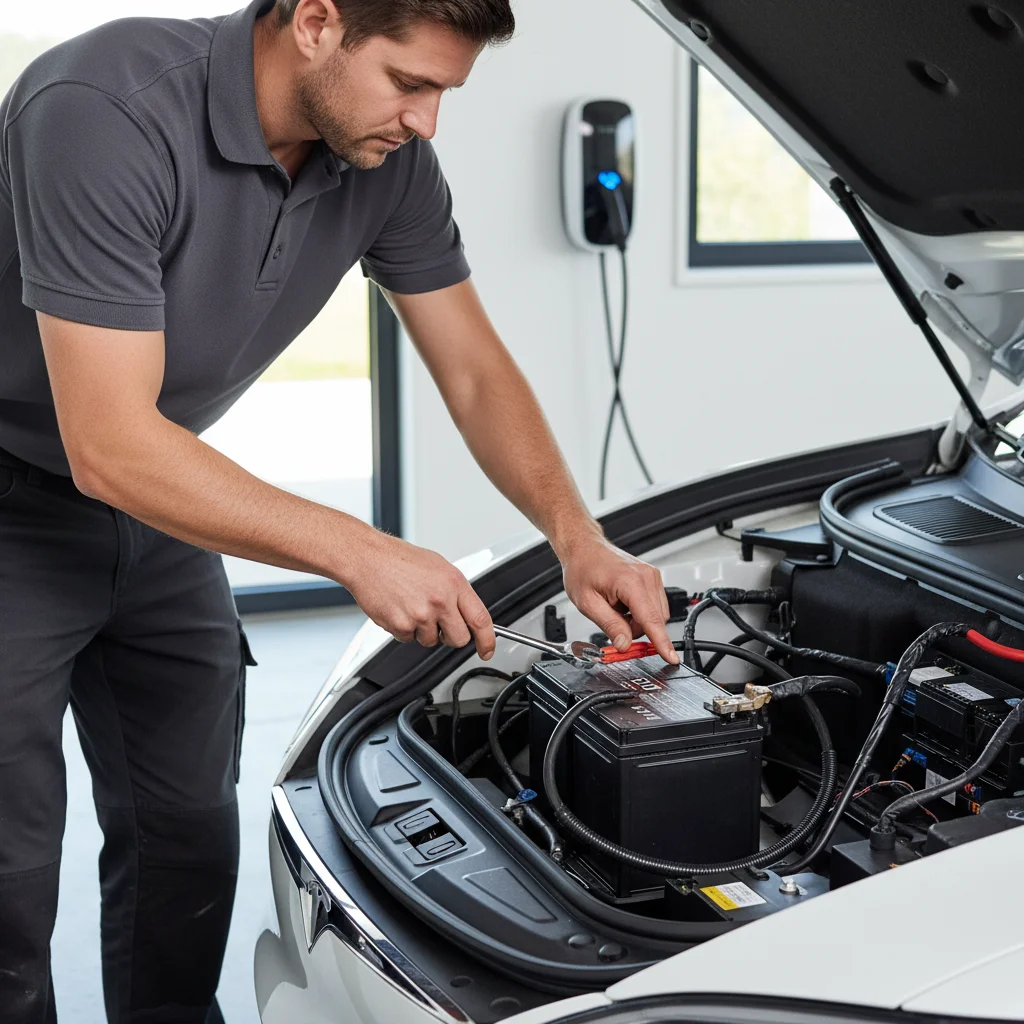
To check which battery your car has, open the frunk and look at the unit itself. Lithium 12V batteries are noticeably smaller — roughly the size of a hardcover book. Lead-acid units are larger with a vent port on the top.
You can also check voltage with a multimeter. A healthy 12V reads 12.6V or above at rest. Below 12.0V at rest is concerning. Below 11.5V means it’s failing. Under load (car booting up), a healthy battery holds above 11.8V. If it dips below 10.5V during startup, you’re in the failure zone.
The US Department of Energy’s AFDC tracks EV component reliability data that supports the pattern we see in the field: lead-acid auxiliary batteries in EVs are one of the most common non-drivetrain failure points, especially between years 3 and 5.
What to do the moment you see a warning
Speed matters. A 12V warning isn’t like a low tire pressure alert you can monitor for a week. Here’s the right sequence.
First, don’t ignore it. A yellow “12V battery needs service” alert means the battery is below optimal threshold. You likely have days, not weeks.
Second, schedule service immediately. Contact Tesla or a qualified EV shop. If your car is in warranty, this is a straightforward warranty replacement. Out of warranty, expect to pay $150-$300 for the part depending on whether it’s lead-acid or lithium. Labor is minimal — the frunk battery is accessible in minutes.
Third, reduce unnecessary drain in the meantime. Turn off Sentry Mode. Disable cabin overheat protection if the weather allows. Avoid leaving the app open, which keeps the car awake and increases DC-DC converter cycling. These steps won’t fix a failing battery, but they reduce the odds of waking up to a completely dead car before you get it serviced.
Fourth, know where you can get a jump. If the 12V dies completely, your Tesla won’t wake up. The high-voltage main pack is useless. You need a 12V jump from an external source applied to the jump posts — not the 12V battery terminals directly. On Model 3 and Y, the jump posts are under the frunk hood trim panel. On Model S and X, they’re in the frunk itself. Standard jumper cables work, but you need to know exactly where to connect them. The wrong connection can damage your car’s electronics. If you’re not certain, don’t guess — call someone who does this every day.
For a full walkthrough of what to do if the car is already dead and unresponsive, read our guide on what to do when your Tesla won’t start.
When to call for a 12V jump in San Diego
If your Tesla is already unresponsive — frunk sealed, touchscreen black, doors won’t unlock with the app — you’re past the symptom stage and into a roadside situation. That’s exactly what our Tesla 12V battery jump service is built for. We carry the right equipment to jump Tesla jump posts safely, wake the car, and get you back on the road without risking your electronics.
When to call Charge Pro
If you’re seeing multiple symptoms at once, your car won’t wake up, or you’re parked somewhere in San Diego County with a Tesla that’s completely unresponsive, that’s our call to make. Our mobile rescue team handles dead 12V jumps, out-of-charge recoveries, and stranded EV situations across the county — from La Jolla to Chula Vista to Escondido. Call us at (858) 808-6055 — we’ll roll a Cybertruck rescue truck to you.