You’ve finished charging your Hyundai Ioniq 5, but the public charger’s heavy cable is locked in tight. You press the release button on the handle, you use the key fob, you lock and unlock the doors—but nothing works. A stuck charging cable is one of the most common and frustrating issues for Ioniq 5 owners, but you’re not powerless.
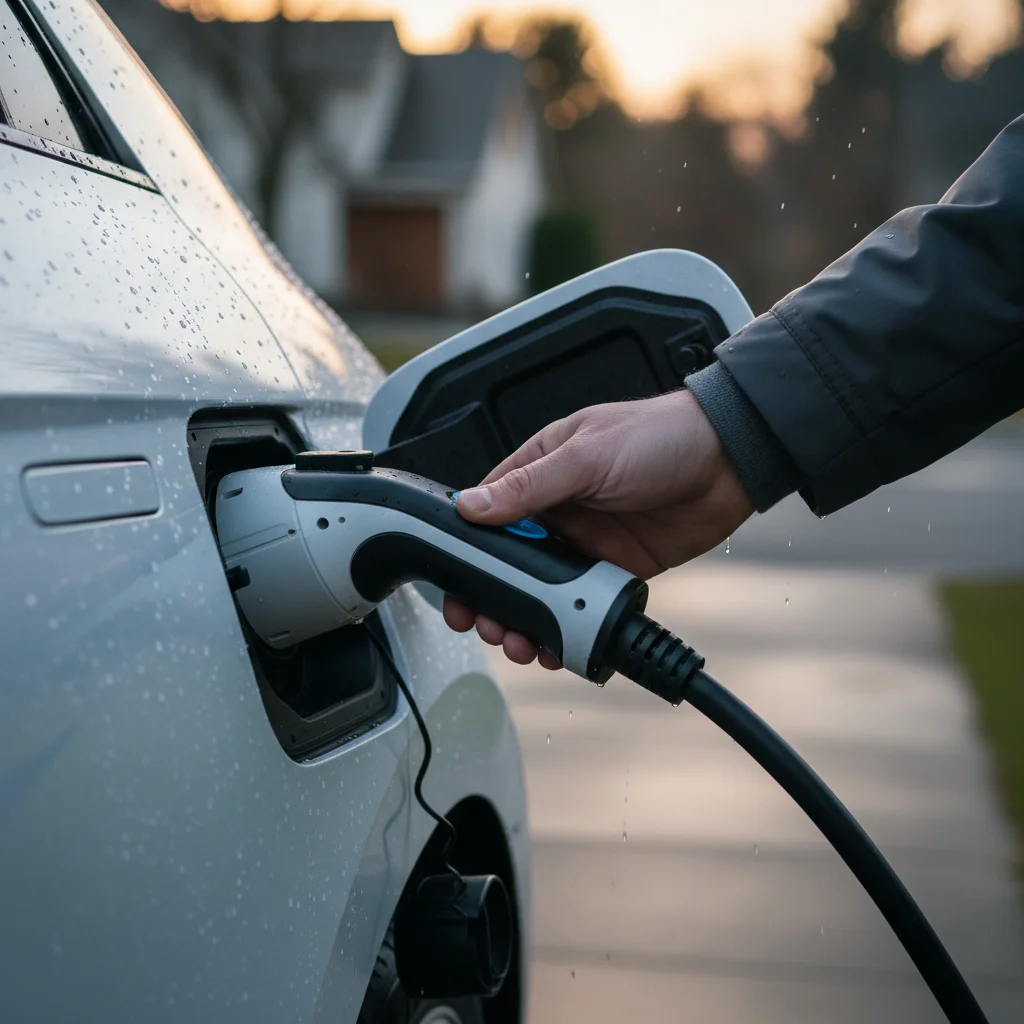
This guide will walk you through why this happens, how to use the manual emergency release, and when it’s time to call for professional help here in San Diego.
Why the Ioniq 5 latch sticks more than other EVs
If you’ve driven other electric vehicles, you might wonder why the Ioniq 5 seems particularly prone to this issue. The answer lies in its sophisticated, multi-part charge port design. Unlike many EVs that have a simple manual flap and a locking pin, the Ioniq 5 features a fully motorized charge door combined with a separate electromechanical locking actuator for the connector itself. This creates two potential points of failure.
The main culprit is the locking actuator—a small metal pin that slides into a notch on the CCS charging connector to hold it securely in place during a session. This pin is controlled by the vehicle’s software. It’s designed to lock when charging begins and retract when the session ends or when you unlock the car doors. The problem is that this process can be easily interrupted. A communication hiccup between the car and a public DC fast charger, or even unlocking the doors at the “wrong” time in the charging handshake, can confuse the software. It essentially forgets to send the “retract” signal to the pin, leaving your cable hostage.
While the sophisticated design contributes to the car’s sleek, futuristic feel and is part of what makes it such a great vehicle, its complexity is a double-edged sword. When everything works, it’s seamless. But when there’s a glitch, the system can fail in a locked state. Understanding the Hyundai Ioniq 5’s battery and charging specs reveals a car built for fast, efficient charging, but this reliance on complex electronics is the root cause of the stuck cable problem.
Manual release: where it is and how to use it
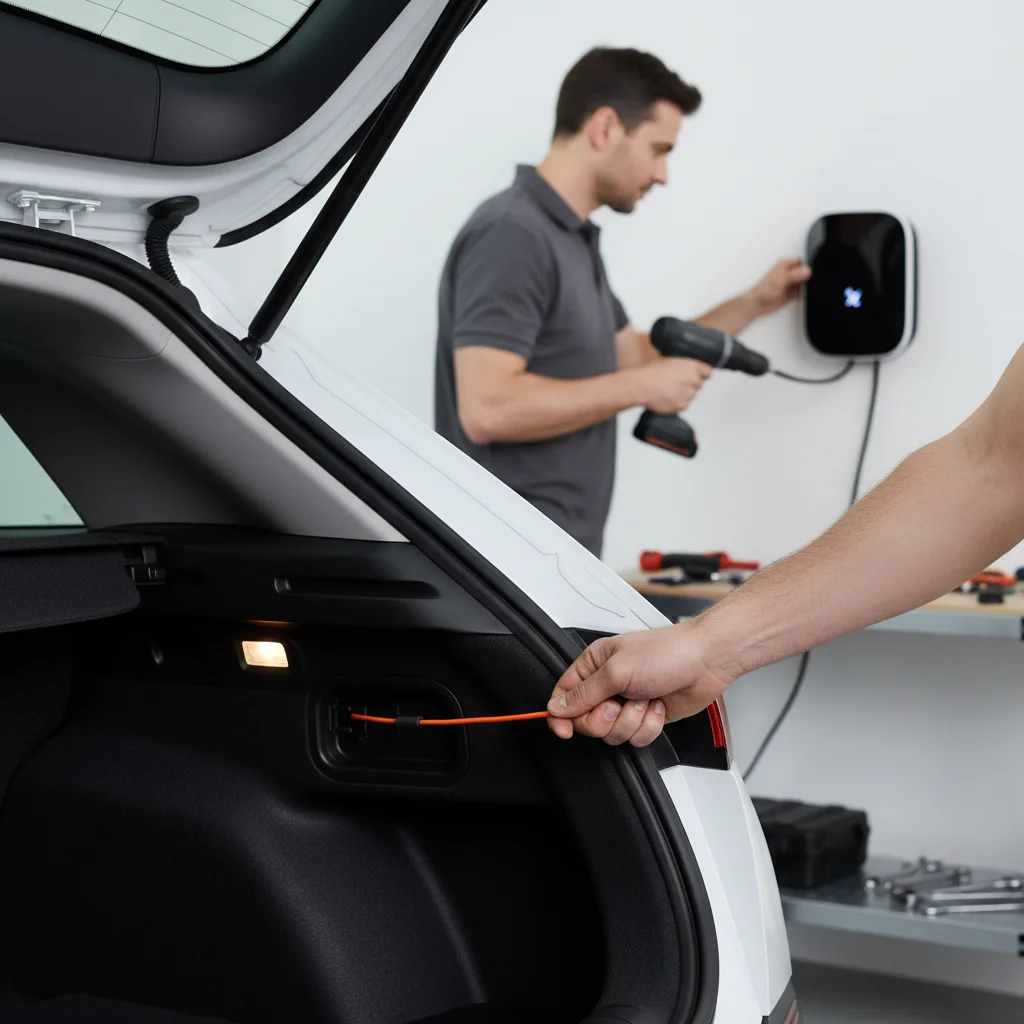
Fortunately, Hyundai’s engineers anticipated this potential failure and included a manual override. Knowing how to access and use it can turn a day-ruining emergency into a minor, five-minute inconvenience. The manual release cable is located in the trunk.
Here’s a step-by-step guide to using it:
- Open the Rear Hatch: First, ensure the car is off and unlocked. Open the trunk (rear hatch) of your Ioniq 5 to gain access to the cargo area.
- Locate the Access Panel: Look to the left-hand side (the driver’s side) of the cargo area. You will see a small, rectangular plastic panel integrated into the trunk liner. It’s located almost directly behind the tail light assembly.
- Open the Panel: This panel can usually be pried open with your fingertips. If it’s stiff, you can carefully use a plastic trim removal tool or a key to pop it open. Be gentle to avoid scratching the plastic.
- Find the Release Cable: Inside the opening, you’ll see a bundle of wires and a small cable loop with a plastic handle. It is often black or has an orange tab on it. This is the manual charge port release.
- Pull the Cable: Grasp the handle firmly and give it a short, steady pull directly away from the side of the car (towards the center of the trunk). You don’t need to yank it with excessive force. You should hear a distinct “clunk” or “click” sound from the charge port area. This is the sound of the locking pin retracting.
- Remove the Charging Cable: The charging connector should now be unlocked. Go to the charge port and pull the cable out as you normally would.
Once the cable is free, you can snap the access panel back into place. For a clear visual, you can always consult your vehicle’s manual. The official Hyundai Owner’s Manual has diagrams showing the exact location for your model year.
Software vs hardware lockup
When your Ioniq 5’s charging cable gets stuck, the problem is almost always one of two things: a software glitch or a hardware failure. Differentiating between the two can help you decide on the right course of action.
Software Lockup
This is the most common cause, accounting for the vast majority of stuck cable incidents. A software lockup occurs when the car’s computer system gets confused and fails to send the “unlock” command to the charging port actuator.
- Common Triggers: The issue is frequently triggered by a faulty “handshake” between the car and a public charging station, especially older or poorly maintained DC fast chargers. An interrupted charging session, either manually or due to a power flicker at the station, can also leave the software in a locked state. Sometimes, simply pressing the unlock button on the key fob multiple times in quick succession can cause the logic to freeze.
- How to Fix It: Before you jump to the manual release, try a few software-based resets. First, lock and unlock the car doors three or four times using your key fob, waiting a few seconds between each press. This can sometimes re-initiate the unlock sequence. If that fails, try using the Hyundai Bluelink app on your phone to remotely stop the charging session, which can also trigger the release.
Hardware Lockup
A hardware failure is less common but more serious. This means a physical component in the locking mechanism has broken, seized, or been obstructed.
- Common Causes: The locking pin actuator itself can fail mechanically. Debris, road grime, or even ice (less of a concern in sunny San Diego) can get into the mechanism and physically block the pin from retracting. In rare cases, the charger handle you’re using might be damaged, preventing the pin from clearing its locking slot properly.
- Symptoms: If you’ve tried the software fixes and the manual release cable is either extremely difficult to pull or pulling it does nothing (no “clunk” sound), you likely have a hardware problem. This is a situation where forcing things can cause more damage. It’s frustrating when any EV charge port won’t release, but a physical break requires professional attention.
What to do at a public charger that won’t disconnect
Being tethered to a public charger in a busy parking lot adds a layer of stress to the situation. You might feel rushed or worried about holding up a spot. If your Ioniq 5 cable is stuck at a public station like an Electrify America or EVgo, follow this sequence of steps.
- Stay Calm and Try Software Fixes: First, don’t panic. Take a breath and run through the simple software resets. Use your key fob to lock and unlock the car several times. If you have the Bluelink app, try to use it to officially end the session from your phone. Check the charger screen; if it has a “Stop” button, press it firmly.
- Contact the Charging Network Provider: If the software tricks don’t work, your next call should be to the support number listed on the charging station. Every major network has a 24/7 support line. Provide them with the station ID number (also printed on the unit). The remote support team can often see the status of the charger and your car. They can attempt to force-stop the session from their end, which will usually release the cable lock. This is the single most effective step you can take before resorting to the manual release.
- Use the Manual Release as a Last Resort: Only after you have tried the software fixes and contacted network support should you use the manual release. Why? Because if the station is still actively trying to charge or communicate with your car, manually yanking the plug can sometimes cause a fault error on the station, potentially taking it offline for the next driver. However, if support can’t help and you are truly stuck, you have no other choice. Follow the steps outlined above to access and pull the release cable in the trunk.
- Report the Faulty Station: After you’re unplugged, be a good EV citizen. Report the faulty station to the network provider and on an app like PlugShare. This can help the next Ioniq 5 driver avoid the same frustration.
When to call for non-Tesla mobile rescue
The manual release is a great feature, but it doesn’t solve every problem. There are specific situations where trying to force the issue yourself can cause more harm than good. That’s when you need professional roadside assistance designed for EVs.
You should call for help if:
- The manual release fails. If you pull the release cable and nothing happens, or it feels like it’s about to snap, stop. This strongly indicates a mechanical failure in the locking mechanism. Continuing to pull could break the cable or the actuator, leading to a much more expensive repair.
- You suspect a dead 12V battery. The entire locking mechanism is electronic. If your car’s 12-volt battery is dead, nothing will work—not the fob, not the buttons, and not the electronic release. A dead 12V can leave you locked out and locked in.
- You’re not comfortable performing the fix. If you’re in a dark parking garage, an unfamiliar part of town, or simply don’t feel comfortable opening panels and pulling on cables, it’s safer to call a pro.
Our specialized non-Tesla EV rescue service is built for these exact scenarios. Our technicians understand the specific systems of vehicles like the Ioniq 5. We can quickly diagnose whether it’s a simple software glitch, a dead 12V battery needing a jump, or a failed charge port actuator that requires careful handling to disconnect without causing damage.
When to call Charge Pro
If you’re stranded at a charger in San Diego and the manual release won’t work, or if you suspect a dead 12V battery is the real culprit, don’t risk damaging your charge port. It’s time to call in a professional.
Call us at (858) 808-6055 — we’ll roll a Cybertruck rescue truck to you.